Social Icons

Saturday, 5 December 2015

How to Read a Book

The topic may seem a bit funny. But it is critical in real. A book can be read but it does not guarantee to provide the same level of understanding to every one.

So do you accept, there should have some ways to read a book? for me, YES.

Unexpectedly, I found the article in Wikipedia - https://en.wikipedia.org/wiki/How_to_Read_a_Book

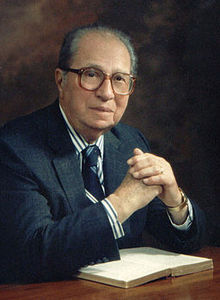
The book was written by Mortimer Adler in 1940. He criticised by Part IV in his book.
I will short his message here.

Part I: Dimensions of Reading
   Three Types of Knowledges
      - Practical: practical knowledge can be teachable, but cannot be truly mastered without experience
      - Informational: informational knowledge can be gained by the equal of author's
      - Comprehensive: comprehensive knowledge is best learned from original

Part II: Three Levels of Reading: Analytical Reading
   - Structural Stage: analytical reading based on the structure of book, the idea of author, how the author solved the issues.
   - Interpretive Stage: reader can be able to involve in author's arguments by understanding the book.
   - Critical Stage: not only readers can be understanding the book, but also can evaluate the book of accuracy.

Part III: Approaches to Different Kinds of Reading Matter
   Here author discuss about the different ways of reading different kinds of books. (I haven't read that book yet. So no idea. :)

Part IV: The Ultimate Goals of Reading
 By reading books, readers can broaden and deepen their knowledge on different fields and subjects.


Sunday, 1 November 2015

Study Skills Strategies


- Study Skills Strategies. 4th Edition. Uelaine A. Lengefeld. 50 minutes series book. 2009.       Cripse Series. US

- To cover professional development topics in the shortest possible time.
- Easy-to-read / understand self-study.
- design study schedule for you, note taking formal / informal / digitize

- taking research notes, critical reading skill, read and underline, use numbers,
vertical line, asterisks, recall phrases, defines, circles or boxes, highlighting
recite and write

- 1. spread out memory work

- 2. recite material aloud
      see it / say it / write it / repeat it / listen it

- 3. expect to remember
      I know I can remember

- 4. organize the material
      pattern or a relationship

- 5. test and retest
      memorize first, go second item and memorize it,
      now repeat first and second by memory,
      memorize third and repeat first, second and third

- 6. over learn
      learned several times
      encode the correct formula into your long-term memory

- 7. use recall hooks
      short-form / rhyming
      visualize for success / timelines / tree map / flow chart
      study map / clustering / branching lines

question keywords           suggestion
1. summarize                  sum up, give the main points briefly
2. evaluate                     give the good points and the bad one, appraize
3. contrast                     bring out the points of differences
4. explain                       make clear, interpret, make plain, tell how to do
5. describe                     give an account of, tell about, give a word of picture
6. define                        give meaning of word / concept,
                                    place it in the class to which it belongs
7. compare                    bring out points of similarity / differences
8. discuss                      talk over/consider from various point of view
9. justify                        show good reasons for
11. trace                       follow the course of/follow the trail of
12. interpret                  make plain, give your meaning of / translate
13. prove                      establish the truth of something /
                                   by gibing evidence, logical reasons
14. illustrate                 use a word picture / a diagram / a chart /
                                  a concrete example to clarify a point

for further reading
http://cengagesites.com/academic/assets/sites/Axzo/1426090854pv.pdf

SOAR Study Skills


Willing to review a book, SOAR Study Skills, written by Susan Kruger in 2011.

Main objectives of the books are
- to get better grades and have more time for fun.
- improve students grades in less time.
- explore many resources for students.
- highlight strategies are simple and students friendly

Author said "I can do it, you can do it".

SOAR study skills describes a collection of tips and strategies how to learn more efficiently. Most of the techniques can be used immediately. A bit of practise regular use over the course of a month or a semester.

How are you smart? encourages you to explore you abilities and interests recognizing the talents that you posses. This book contain core strategies, 100 of skills, 4 basic Principles: Set goals, Organize, Ask questions and Record (SOAR) your progress.

Interpersonal intelligence, special talents, find and develop confidence in your own smart self.

Set Goals: to accomplish, determine your goals, priorities, plan for action.

Organize: organize your papers / Space / Time

Ask Questions: interacting with teachers, reading text books, writing papers, taking & studying notes, taking a seat of "T" Zone in classroom is the best to get teacher's attention first.

Record your progress: tracking your grades, monitoring your goals, recognizing achievements.

for further reading:


Tuesday, 24 March 2015

Easy ways to use Google

Google is a search engine that can search information from the internet. The information that you want to read, already have been in the internet, mostly.

From the internet to retrieve the information in which format you want, it is necessary to know how to use Google properly.

For example, if you have a desire to find out the information such as photos and video files about the actors and the actresses who you like or the news that currently happen in Myanmar, at that time you definitely need to know how to use Google effectively. 


To practice Google, you just need a browser and the internet connection. In this post, all the examples are using Google Chrome. You can learn by using one of the browsers such as Internet Explorer, Mozilla Firefox, Opera and Chrome, etc.


Supposedly, We  search Daw Aung San Suu Kyi who is the leader of Our Myanmar. If you search  by typing aung san suu kyi in Google search box, you will find the total internet pages about 8,270,000


If you want to search the information according to the name aung san suu kyi, you must use double quote “ ”. Search by typing “aung san su kyi ” in google search box. You will find the total internet pages about 8,100,000.  


If you want to search the information about  “aung san su kyi”  in only England websites, you might use the keyword location.  If you search by typing  "aung san suu kyi" location: uk,  you will also find the total internet pages about 4,480,000. You can see country code such as UK for England definitely at the following link. http://en.wikipedia.org/wiki/List_of_Internet_top-level_domains


If you want to search the information about “aung san suu kyi” from the year 1964 to 1988 in England websites, you can use the keyword ..’. When you search by typing “aung san suu kyi” location:uk 1964..1988, you will find the total internet pages about 1,170,000.


At this time, if you want to subtract the words “than shwe” from the information “aung san su kyi”, you can use the minus sign. If you search by typing “aung san suu kyi" - "than shwe”, you will find only the total internet pages about 260,000.  


If we say java, our Myanmar will seem our friendly java coffee mix or the java Island of Indonesia. Moreover there has one more java which related to the computer programming. If you search by typing java in Google search box, you will find the information that include a variety of java. By quantity, you will find the total internet pages about 554,000,000. 


Now, let’s search especially for the information of java related in terminology. When you search by typing java ~glossary in Google search box, you will find the total internet pages about 5,290,000.


Sometimes, if you want to search the meaning of unknown English words, you can use the keyword define. For example, you want to know the meaning of acume, you can search by typing define: acumen in Google search box. And then you will find the total internet pages about 8,250,000.


We can also use Google as a calculator. (4+4) * (7-3) = 8 * 4 = 32


For the power of 5 for 2, you can calculate by typing 2^5  in Google search box. You will see the result is 32 


And also calculate by typing 50 % of 30, the result is 15
50 % of 30 = 15


You can search by typing 1 kg in lbs in google search , if you want to use google as a unit converter. You will see 1kg is equal to 2.2lbs. You can also search by changing the other units that you want to know.


We can also search foreign currency exchange in google. For example, if you want to know how many dollars in one hundred England pounds, you can search by typing100 Pounds in USD in Google search box.


We can also know the condition of Nations’ weather in Google. For example, if you want to know the weather of Singapore, you can search by typing weather Singapore in Google search box.


When seeing Myanmar movies, some people want to see the actors and the actresses who they like. For example, if you want to search the internet pages that only include the information about the actress Thet Mon Myint in the website burmeseclassic.com, you can search by typing Thet Mon Myint” site: burmeseclassic.com in Google search box. You will find the total internet pages about 28,400 in burmeseclassic.com.


If you want to search the ebooks of file type pdf(portable document format) that can be read by computers or phones, you can search by typing filetype:pdf. For example, if you want to search the pdf files about the ebooks Freedom from Fear by Daw Aung San Su Kyi, you can search by typing "aung san suu kyi" "Freedom from Fear" filetype:pdf in google search box. You will find the total internet pages about 2,360. You can also see filetype wmv  for  video files, mp3 for audio file at the following link. http://en.wikipedia.org/wiki/List_of_file_formats


Until now, you can search the information that you want by using Google basically. If you can't memorize all Google keywords, you don't need to worry. Google already has a Google Advanced Search which is easy to use, and which help to eliminate from memorizing keywords.

Just type google advanced search in Google search box, and click the first link, it will redirect to the following page http://www.google.com/advanced_search. You can search the information that you want by using Google Advanced Search. 


All the facts that the above mentioned are referred from the internet.

Credit to >> Teacher Ruby <<

Thursday, 12 March 2015

VLAN


Virtual LAN, Surprise!
     This is the last lecture topic for 3rd year students who learn Data and Computer Communication in first semester course of Computer University. During first semester, we all were busy. So we couldn’t post any blog articles to the page. Now I would like to post an article for our students.
     Before describe VLAN, we need to know Ipv4 addressing. IPv4 allow three types of addresses:
                               i.            Unicast
                             ii.            Multicast
                          iii.            Broadcast
  Unicast:  An identifier for a single interface. If you have a unique destination address, your MAC frame can be forwarded to your intended destination station.
Multicast:   An identifier for a set of interfaces. If you want to send a frame for a set of interfaces or a group, you can insert group address in destination address field of frame header. This frame is delivered to all interfaces identified by that group address.
Broadcast:  Sometimes a computer wants to send the same frame to each and 
every computer attached to the common transmission medium. Sending a frame to all the other computers is called broadcasting. So, A MAC frame’s destination address may also contain broadcast address (means all 1s in destination address field),in which case the destination MAC address indicates that all devices should receive a copy of the frame. When network devices (switch etc.) don’t know the incoming frame’s destination address, they can forward this MAC frame using broadcast address.
     Now, the reader will more understand about the addresses in IPv4. Sometime, broadcast address may waste transmission capacity on the other portions of the LAN and on the other switches. I mean the LAN with more than one switch.  As the number of workstations on the typical LAN grew, they started to become hopeless congested there were just too many collisions because most of the time when a workstation tried to send a packet, it would find that the wire was already occupied by a packet by some other device.
     One simple approach to improving efficiency is to physically partition the LAN into separate broadcast domains (the total collection of devices that receive broadcast frames from each other is referred to as a broadcast domain) using routers. In this method, as LANs became larger, data rates became faster, and users desired greater flexibility, the routers in a network started to become a bottleneck. This is because:

  •  Routers typically forward data in software, and so are not as fast as switches

  •  Splitting up a LAN using routers meant that a LAN typically corresponded to a particular physical location. This became limiting when many users had laptops, and wanted to be able to move between buildings, but still have the same network environment wherever they plugged in.
     In this article, I discuss a more effective alternative to reduce the transmission capacity wasted is the creation of Virtual LANs(VLANs). A VLAN is a logical subgroup within a LAN that is created by software rather than by physically moving and separating devices. It combines user stations and network devices (switches etc.) into a single broadcast domain without regard the physical location of users. You can assign each switch port to only one VLAN. Ports in a VLAN share broadcasts; ports in different VLANs do not share broadcasts. This improves the overall performance of the network. A VLAN can exist on a single switch or span multiple switches. It can include stations in a single building or multiple-building infrastructures, or it can connect across WANs. 
     Using VLAN technology, you can group switch ports and their connected users into logically defined communities, such as coworkers in the same department, a cross-functional product team, or diverse user groups sharing the same network application.


     The above figure shows three VLANs Sales, HR, ENG departments. A group of users to share a common broadcast for the same VLAN are depicted in figure. Some means is therefore needed for defining VLAN membership. A number of different approaches have been used for defining membership, including the following:

  •  Membership by port group: Each switch in the LAN contains two types of port: a trunk port, which connects two switches, and an end port, which connects the switch to an end system.A VLAN can be defined by assigning each end port to a specific VLAN. Normally, a port carries traffic only for the single VLAN to which it belongs. For a VLAN to span across multiple switches, a trunk is required to connect two switches. A trunk can carry traffic for multiple VLANs. Trunking is a way to carry traffic from several VLANs over a point-to-point link between the two devices.

  •  Membership by MAC address: Since MAC-layer addresses are hardwired into the workstation’s network interface card (NIC), VLANs based on MAC addresses enable network managers to move a workstation to a different physical location on the network and have that workstation automatically retain its VLAN membership;
  • Membership based on protocol information: VLAN membership can be assigned based on IP address, transport protocol information, or even higher-layer protocol information.

References:
1.    Data and Computer Communications , Ninth Edition by William Stallings
2.  Computer Networking (A Top-Down Approach) Fourth Edition by 
    James F. Kurose, Keith W.Ross
3.    AlliedWare Plus™ OS Overview: VLANs
4.    Interconnecting Cisco Network Devices (ICND) v2.1

More detail about VLANs may learn in open source (Internet)!